











Aviator on PrideSpins is a crash game for users in Ghana. In each round, a multiplier rises and you choose when to close an active bet; a signed-in account and available GHS balance are needed for real-money play.

This guide covers the practical route from opening PrideSpins to finding the game, placing a bet and using Cash Out. Interface wording can change, so follow the controls shown on the current page.
How to Play Aviator on PrideSpins
The basic route is short, but read it before starting because rounds move quickly.
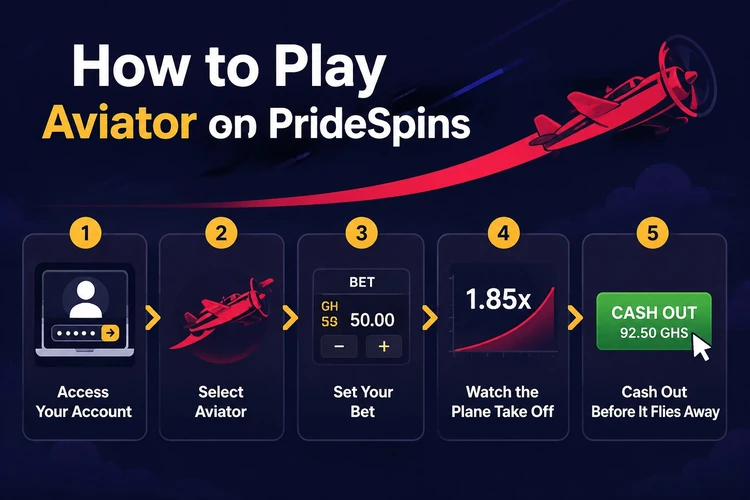
Open the site, sign in, locate Aviator in the available games and let it load fully. Then choose a stake, confirm it before the round starts, watch the multiplier and use Cash Out before the round ends.
- Step 1: Open PrideSpins in your browser.
- Step 2: Sign in to your existing account.
- Step 3: Find Aviator in the games area.
- Step 4: Open the game and wait for it to load.
- Step 5: Choose a stake within your budget.
- Step 6: Confirm the bet before the round begins.
- Step 7: Follow the multiplier while the round runs.
- Step 8: Press Cash Out before the round ends.
How Does PrideSpins Aviator Work?
A stake is the amount committed from your balance for one round. A round is one complete game cycle. The multiplier is the changing figure that rises while the round is active. Cash Out closes your bet at the figure displayed when you press it. Round end is the point at which the cycle stops; a bet still open then does not receive a payout.
You are not building a hand or selecting a combination. After confirming the stake, the main choice is whether to close the bet now or wait, and waiting longer increases the risk of the round ending first.
PrideSpins Aviator Login
Access uses your regular PrideSpins account, not a separate Aviator registration or password. Open the site, enter your account details in the sign-in form, then return to the games area and open Aviator.
If the form rejects your details, check them carefully and confirm your mobile data or Wi-Fi connection. The account sign-in page contains the official recovery route; contact support if the issue remains after those checks.
- Details: check the email or phone number, password and keyboard case.
- Connection: retry only after your data or Wi-Fi is stable.
- Recovery: use the official password recovery function.
- Support: ask PrideSpins for help with a continuing account problem.
Aviator Multiplier and Cash Out Explained
The return is based on the stake multiplied by the figure showing when Cash Out is pressed. For example, a GHS 10 stake closed at 1.80x gives a calculated return of GHS 18. This is only an arithmetic example, not a typical or guaranteed result.
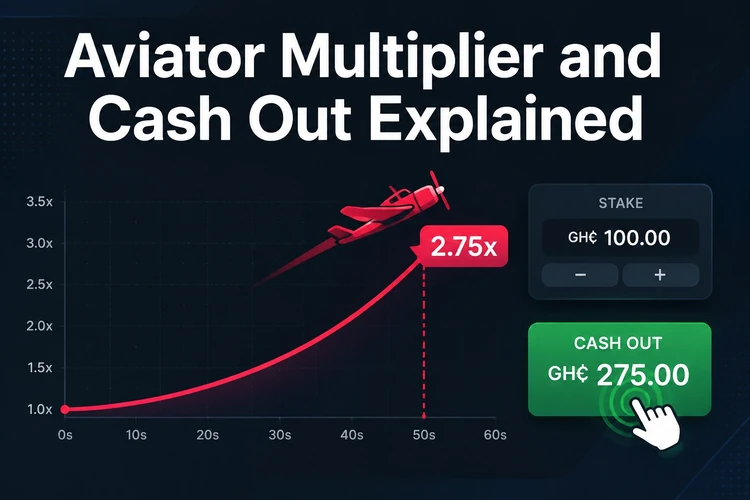
If the round ends before you use Cash Out, the active bet is settled as a loss. A later multiplier cannot change that completed result, which is why the decision has to be made while the round is still running.
Understanding Risk in Aviator
Each round is independent. Previous low or high multipliers do not reliably predict the next result, and no tool or group can remove the uncertainty from the game.
Set a budget and a maximum stake before playing, then keep both limits in place after a loss. Do not raise stakes sharply to recover money, and take a break if the session stops feeling controlled. The responsible gambling section explains available guidance. Play is for adults only, 18+.
Playing PrideSpins Aviator on Mobile
You can open the site on a smartphone through a current mobile browser, sign in, find Aviator and start a round. Android users can follow the same browser route without turning this page into an app download guide.
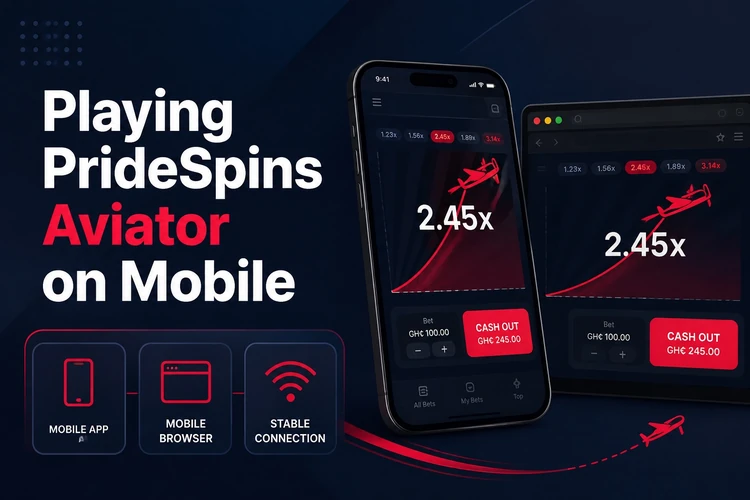
A stable connection matters because a data drop can prevent a timely Cash Out. Use a reliable signal, keep the browser current and avoid unnecessary background activity while a round is in progress. If you use the dedicated installation, see the mobile app page for that separate topic.
Depositing Before Playing Aviator
The process is account, deposit, balance, then Aviator. Once funds appear in GHS in your balance, you can choose a stake in the game.
Review the payment options and conditions displayed in your account before making a transfer. If a deposit is missing, do not repeat it immediately; keep the transaction reference and contact PrideSpins support.
Common Aviator Access Issues
If Aviator does not load, refresh the page and wait briefly on a stable connection. A broken layout may improve after clearing the browser cache or using an up-to-date browser. If access stops after a connection drop, sign in again and check the bet history.
Incorrect account details, blocked access and missing transactions require official assistance rather than workarounds. Use the site's contact details and include the time of the problem, device or browser used and any relevant screenshot.
FAQ
It is a crash-style online game in which a multiplier rises during a round. You use Cash Out to close an active bet before the round ends; there are no reels or paylines.
Open PrideSpins in your browser, sign in, find Aviator in the available games and open it. A funded balance is needed before you can place a stake.
Use your normal PrideSpins account details in the site's sign-in form. The game has no separate password; check your details and use the official recovery function if access is rejected.
An Android phone with a current browser can open the site and run the game without a separate installation. Use a stable data or Wi-Fi connection because the round is timed.
Cash Out closes the active bet at the multiplier displayed when you press it. The calculated return is the stake multiplied by that figure; if the round ends first, the bet receives no payout.
No. Each round is independent, so earlier results do not provide a reliable prediction of what comes next. Tools that claim to guarantee such predictions should not be trusted.